
01 · Bring it together
For parents coordinating sports, school, and activities
Every schedule.
Still your family's business.
Bring sports, school and activity calendar feeds together on your iPhone. See what changed, catch travel-aware clashes, and know who can get everyone where they need to go.
Try one child and one feed free.Family Unlock is one purchase · Apple shows local price
- No account
- No subscription
- Local-first
Current release · UpNext Family 1.9
Family schedules, clearer.
Released 4 August 2026.
Version 1.9 makes the family schedule easier to understand, from the event start to the time you need to leave.
- See the event start, when to be there, and when to leave.
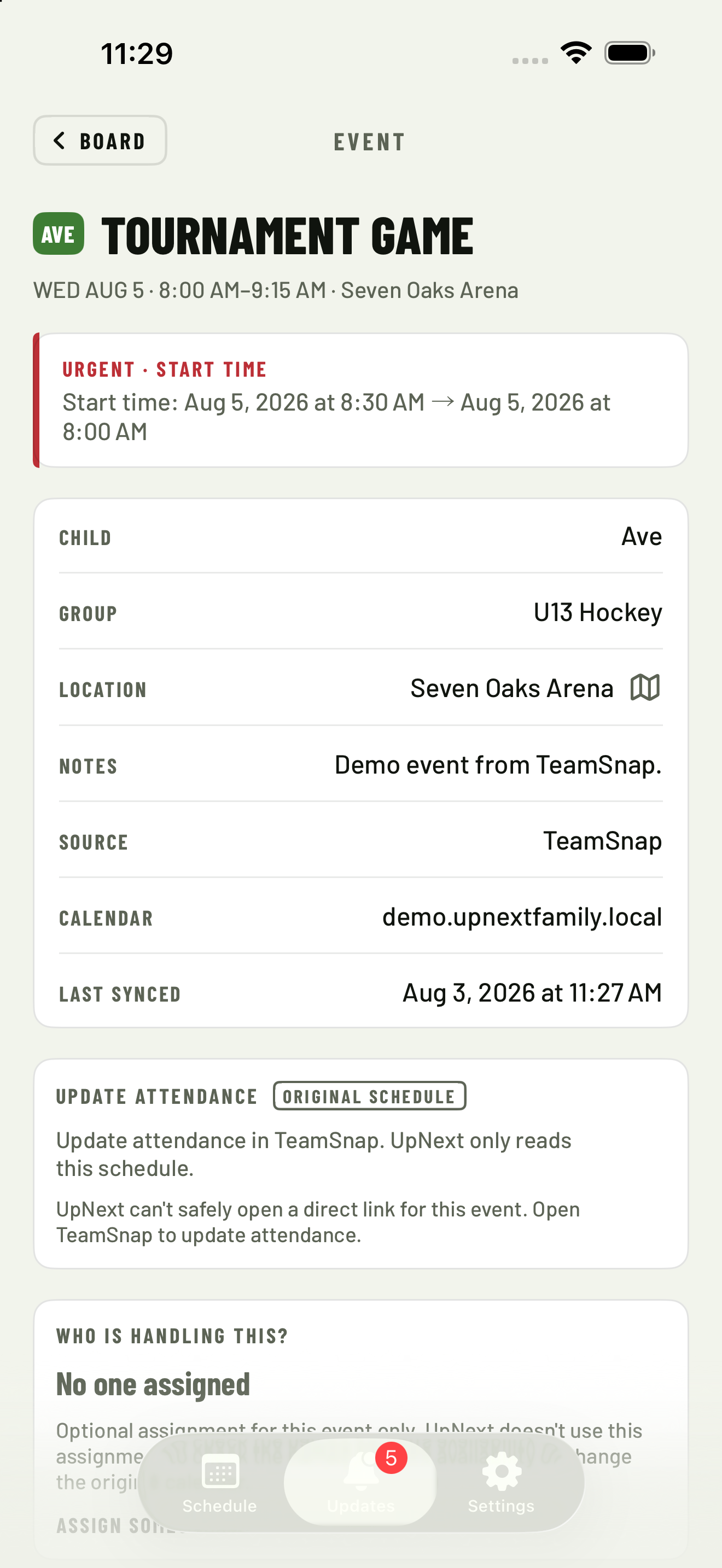
- When an event has a safe source action, open the source calendar to update attendance where the event was created.
- Use clearer calendar setup, refresh, sharing, and settings language.
- Review a more readable week view and cleaner event details.
- Keep your family schedule private on your iPhone.
- No account, ads, tracking, or subscription.
Reviewed 1.9 source proof
The useful details are in the next tap.
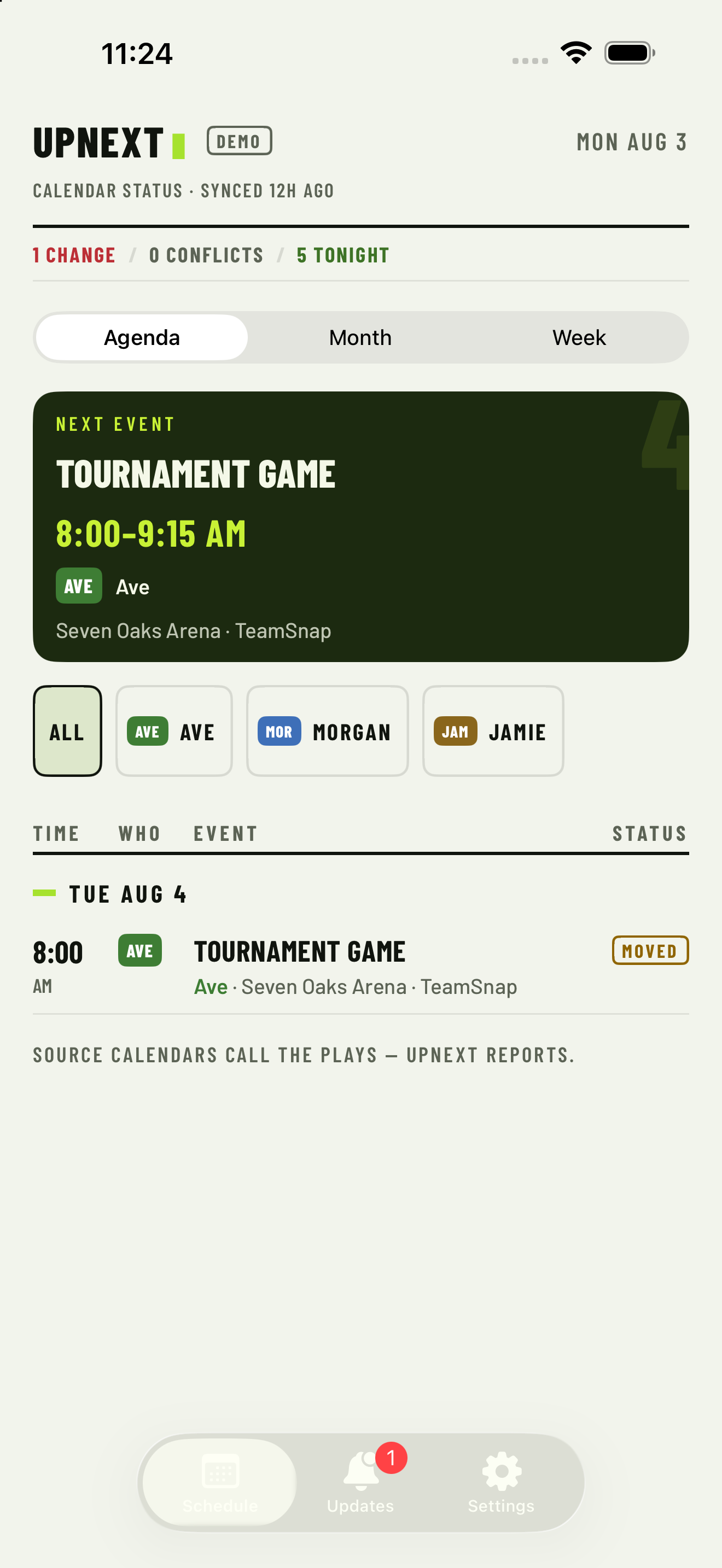
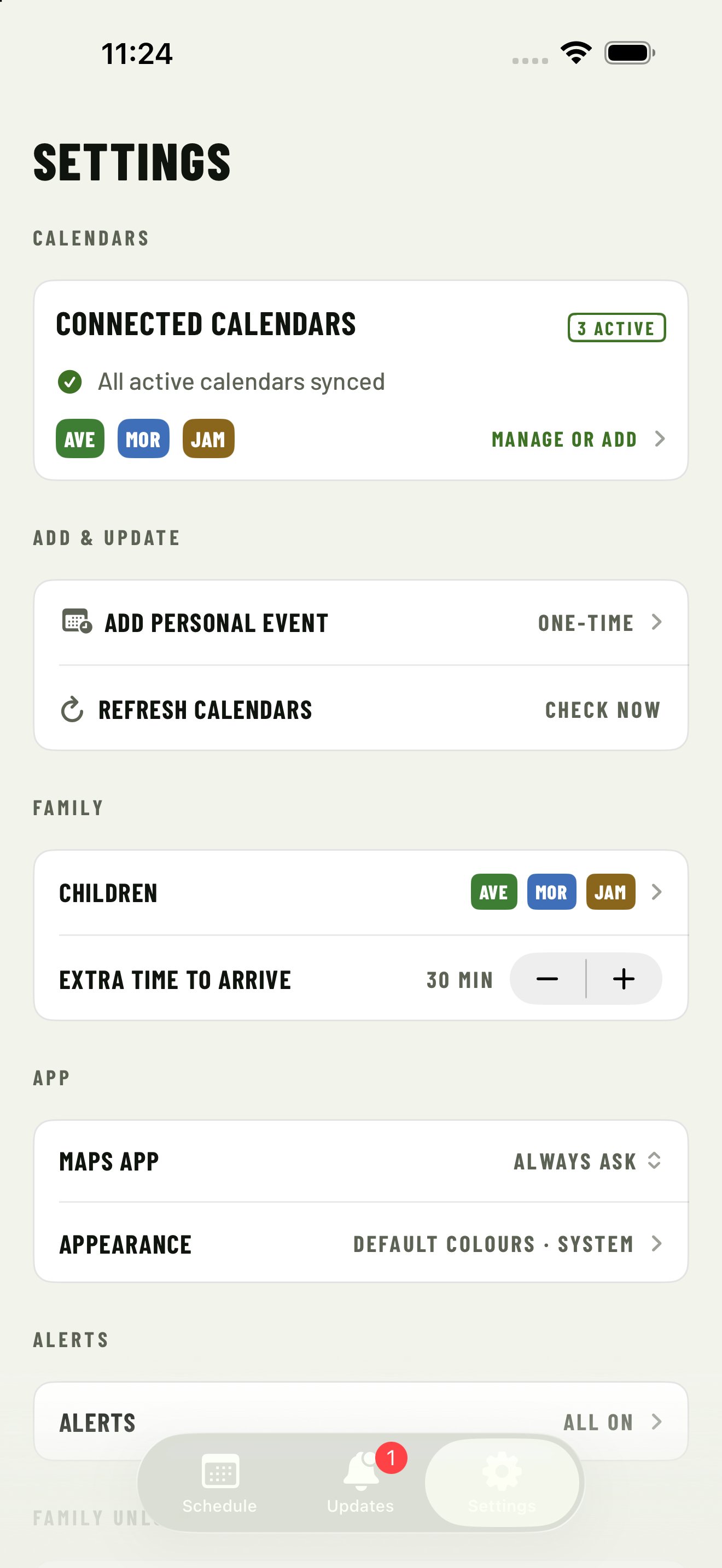
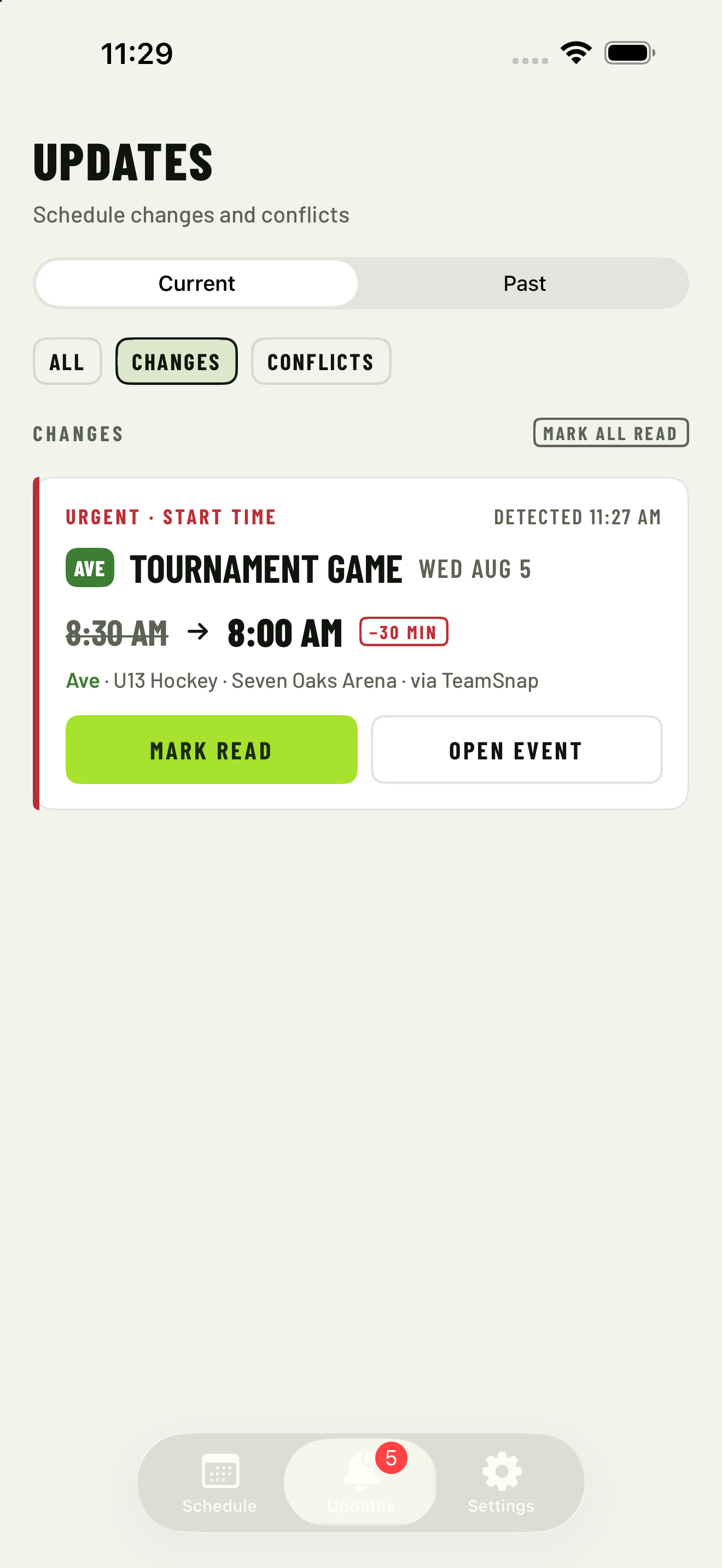
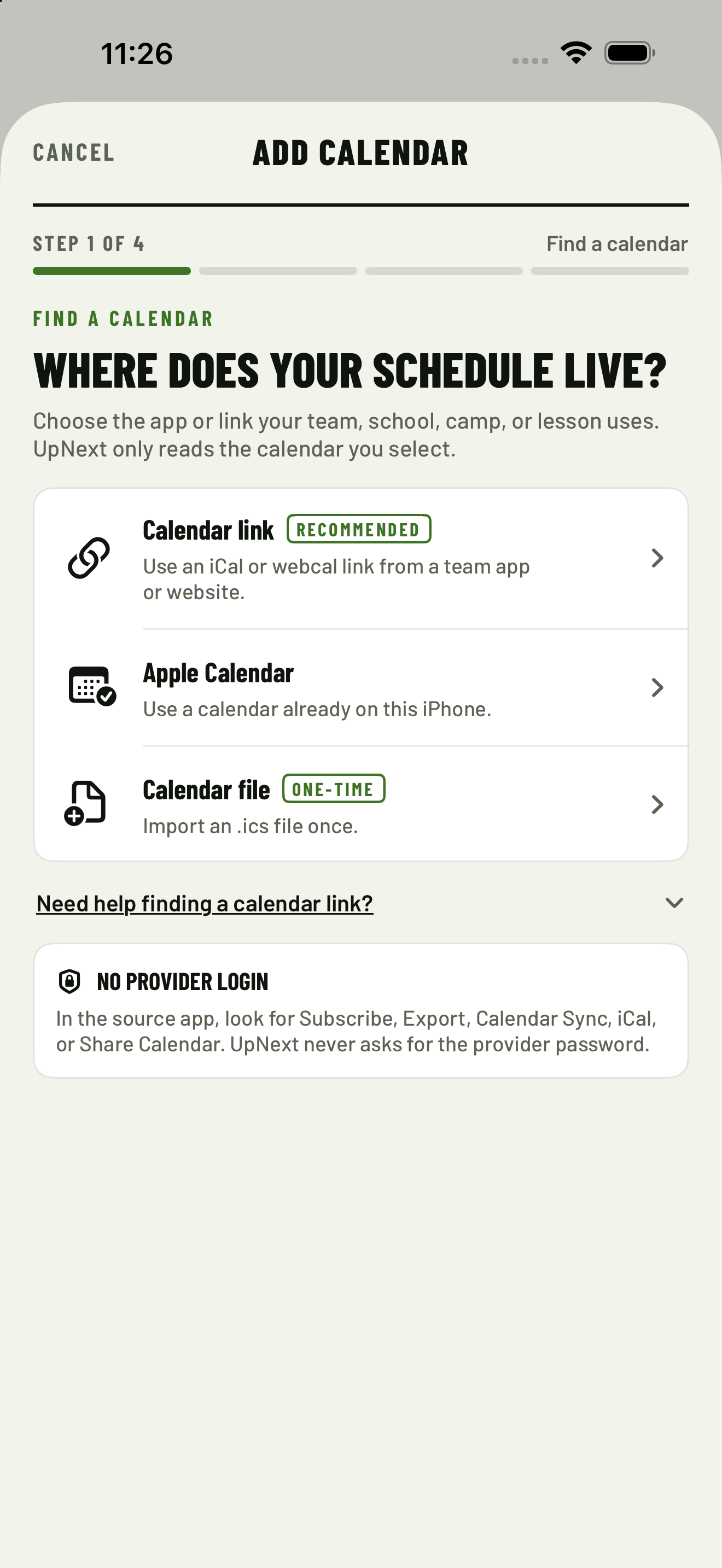
These reviewed simulator captures show the places families check most in the current source review: the family schedule, updates, settings, calendar setup, and event detail.
Fictional names, schedules and venues only. No live family data or provider logos are shown. These are synthetic source captures for the website update, not direct App Store or TestFlight screenshots.
What UpNext Family helps you do
02 · See what changed
Updates worth your attention.
Review moved, cancelled and newly added events before they quietly disrupt the rest of the week.03 · Catch the squeeze
Conflicts that understand travel.
Spot overlapping events, driving-time pressure and caregiver coverage gaps before the scramble starts.04 · Keep ownership
Your schedule stays on your iPhone.
No account, behavioural analytics or developer-run family-data cloud. Selected calendars remain read-only.More ways to plan
Choose the view. Keep the source close.
The schedule now handles the family extras around imported calendars without pretending to replace the provider that owns the event.
Choose the view
Agenda, Month, or seven clear days.
Switch between Agenda, Month, and Week while keeping the same family filters and schedule context.Add the family extra
One-off events belong here too.
Add a local family event and, if you choose, copy it to a dedicated UpNext Family calendar in Apple Calendar.Find the calendar
Provider-aware setup cues.
Choose TeamSnap, RAMP Team, SportsEngine, TeamLinkt, BenchApp, or Other for a short cue and the maintained setup guide.Return to the source
Update attendance at the source.
When an imported event has a safe source action, Event Detail can open the calendar where it was created. UpNext only reads that schedule.A quick look
See UpNext in 45 seconds.
One schedule, clear changes, and conflicts caught before the scramble.
Read the video transcript
Captioned simulator-source montage. This caption-led 45-second montage is composed from reviewed synthetic UpNext Family simulator captures for the current website source review. It shows several feeds in one Board, a moved tournament game in Updates, a sibling conflict in Conflicts, travel pressure before leaving and the Add Calendar choices at the close. It is not a direct App Store or TestFlight screenshot.
Here is a fictional family week in UpNext Family. Ave's hockey, Morgan's soccer, and Jamie's ringette schedules start as separate feeds, then appear in one private family view. On Tuesday, Ave's U13 hockey tournament game moves from 8:30 to 8:00, and the change is called out in Updates. The board keeps the original timing visible so the difference is easy to check. Two sibling events overlap, so Conflicts shows the clash before anyone has to choose. A travel badge marks the rink that needs an earlier departure, and the family can see the pressure before leaving home. Add a calendar by link, Apple Calendar, or file. UpNext Family works without a required account, keeps data local, and Family Unlock is one purchase.
Captioned 45-second montage composed from reviewed synthetic UpNext Family simulator captures using fictional source screens from the current website source review. It shows several feeds in one Board, a moved event in Updates, a sibling conflict in Conflicts and travel pressure before leaving. It is not a direct App Store or TestFlight screenshot. View the static reduced-motion alternative.
A quieter walkthrough
Start with an official calendar link in 45 seconds.
Find the link in the relevant UpNext provider guide, then check changes and keep subscription links private.
Read the tutorial transcript
Synthetic tutorial. It uses fictional feeds and does not show a real provider account or calendar URL.
Start with the official calendar link. Add each fictional feed to one family view. Review what moved before it changes the day. Check when siblings are scheduled at once. Check travel and leave-by pressure. Keep subscription links private.
A caption-led synthetic tutorial with fictional feeds and no narration-dependent information. It covers the official link, one family view, moved events, sibling conflicts, travel pressure, and private subscription links. View the static reduced-motion alternative.
Website launch offer
25 Family Unlocks, on us.
The first 25 successful website claims can redeem the complete one-time unlock free. No trial. No subscription.
Claims are released one at a time to protect the limited pool. If another family just claimed one, wait a minute and try again.
Ends 22 August 2026 or while supplies last. Available wherever UpNext Family is offered. Apple Account required, subject to prior acceptance of licence and usage terms. Not for resale and no cash value. Full Apple terms apply. Offer and content provided by UpNext Family. Developer: Andrew Hazlitt.
Straight answers
Questions a careful parent should ask.
Privacy, ownership and price should be clear before a family calendar ever touches your schedule.
Does UpNext send my calendar to AI services?
No. UpNext does not upload your family schedule to our servers or send it to AI services. Calendar feeds are fetched from the providers you choose and processed on your iPhone.
Do I need an account?
No account is required. UpNext is designed around local ownership, so there is no developer-run household profile to create or maintain.
Is this another subscription?
No. Try UpNext free with one child and one feed. Family Unlock is a one-time purchase. Apple displays the current local price before purchase.
Can it read a parent or caregiver calendar?
Yes, with your permission. UpNext can use selected Apple Calendars to understand caregiver availability. Busy-only mode keeps event titles private, and calendar access remains read-only.
Can UpNext open the original team event?
Sometimes. When an imported event includes a safe source action, Event Detail can open the source calendar where the event was created so you can update attendance there. The destination may be a provider webpage or app, depending on the provider and your iPhone. If no safe action is available, UpNext shows no source action.